IT Baba Online

Buy Networking Products at Best Prices   |  🚚 Fast Delivery Across India   |   💬 WhatsApp for Instant Quote Buy Networking Products at Best Prices
🚚 Fast Delivery Across India
💬 WhatsApp for Instant Quote
🎯 Save up to ₹1000* on your first order | Auto-applied at checkout
access point vs router

Access Point vs Router – Which is Better for Business Networks?

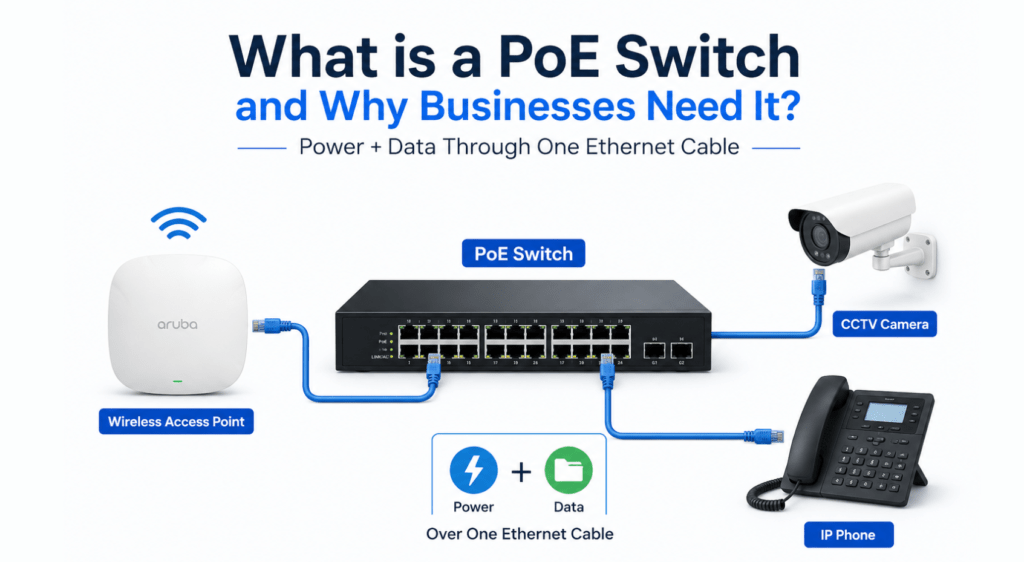
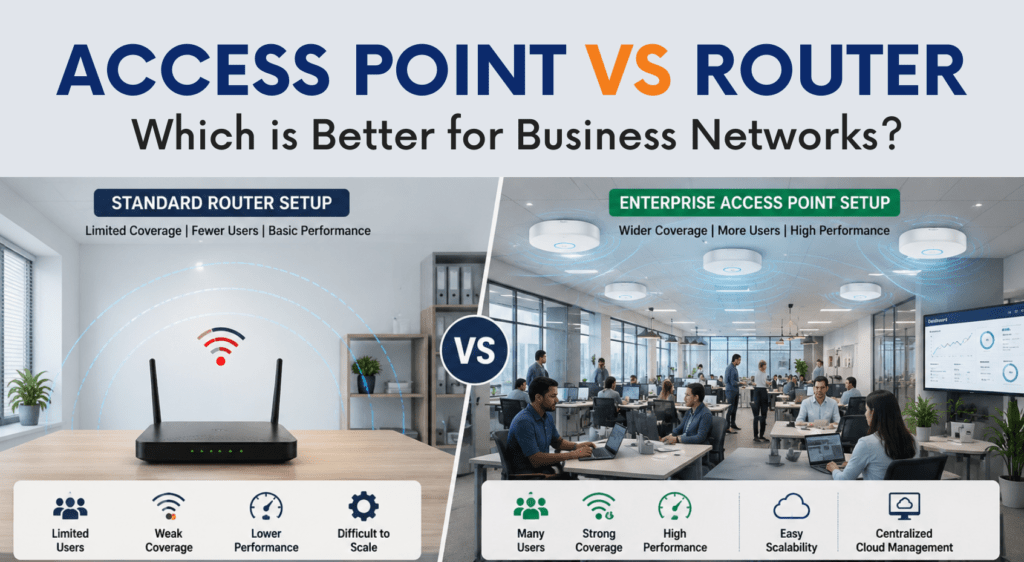
Access Point vs Router Which is Better for Business Networks? Access Point vs Router: Which is Better for Business Networks? When setting up a wireless network for office environments, one of the most common questions businesses ask is whether they should use a router or a wireless access point. The discussion around access point vs router becomes even more important for offices, hotels, schools, retail stores, and enterprise environments where stable connectivity and scalability matter. At first glance, both devices may seem similar because they provide WiFi connectivity. However, there are major differences between a router and an access point, especially when it comes to performance, coverage, user handling, and long-term business scalability. Understanding the difference between router and access point devices can help businesses choose the right networking infrastructure according to their requirements. In this guide, we’ll compare wireless access point vs router setups, explain which is better for business use, and understand why enterprise environments often prefer dedicated wireless access points over traditional routers. What is a Router? A router is a networking device that connects your local network to the internet. It manages internet traffic and allows multiple wired and wireless devices to connect to the same network. Most home and small office routers combine several functions together, including: WiFi broadcasting internet routing LAN switching firewall functionality DHCP services For small environments with limited users, routers can handle basic networking requirements effectively. However, as businesses grow and more devices connect to the network, standard routers often struggle to maintain stable performance. This is where businesses start comparing router vs access point for office environments more seriously. What is a Wireless Access Point? A wireless access point is a networking device designed specifically to provide wireless connectivity within an existing wired network. Unlike routers, access points do not directly handle internet routing. Instead, they connect to a switch or network infrastructure and provide WiFi access across the business environment. A business wireless access point is built to handle: larger coverage areas multiple simultaneous users seamless roaming centralized management enterprise-grade wireless performance Enterprise access points are commonly used in: offices hotels educational institutions warehouses hospitals retail stores enterprise campuses Businesses looking for scalable enterprise WiFi solutions usually deploy dedicated access points instead of relying only on routers. Wireless Access Point vs Router: Main Differences The comparison between wireless access point vs router setups becomes important when businesses start scaling their wireless infrastructure. Although both devices provide WiFi connectivity, they are designed for very different purposes. 1. Coverage and Scalability A standard router works well in small spaces with limited users. However, routers often struggle in larger offices where multiple rooms, floors, or departments require stable WiFi coverage. An enterprise access point setup allows businesses to deploy multiple APs across the office for seamless wireless coverage. For example: Small office → router may be enough Medium office → multiple APs recommended Large office or hotel → enterprise AP deployment necessary This is one of the biggest reasons why businesses prefer access points over routers for professional deployments. A proper wireless network for office environments should always focus on scalability and future expansion. 2. Better User Handling Consumer-grade routers are not designed for high-density business environments. When multiple employees connect simultaneously for: video conferencing cloud applications VoIP calls file sharing performance often drops significantly. A wifi access point for business environments is specifically designed to handle multiple simultaneous users without major performance issues. Enterprise wireless access points provide: better traffic handling improved stability stronger wireless coverage lower latency This is especially important for businesses running cloud-based operations and modern collaboration tools. 3. Centralized Management One major advantage of enterprise wireless networking is centralized management. Modern enterprise access points allow businesses to manage: SSIDs user access firmware updates guest networks traffic monitoring from a single dashboard. This becomes extremely useful in environments where multiple APs are deployed. Businesses investing in enterprise WiFi solutions often prefer centralized cloud-managed wireless infrastructure for easier administration. 4. Seamless Roaming When comparing access point vs router setups, roaming capability is another major difference. Routers generally create isolated WiFi environments. As users move across different areas, connectivity may become unstable or require manual reconnection. Enterprise access points support seamless roaming, allowing users to move between: rooms office floors departments buildings without losing connectivity. This is extremely important in: offices hotels educational institutions warehouses where uninterrupted connectivity matters. 5. PoE Support and Easy Deployment Most enterprise wireless access points support Power over Ethernet (PoE). This allows businesses to power access points using a single Ethernet cable for both data and electricity. Businesses commonly use PoE switches for access points to simplify deployments and reduce additional wiring requirements. PoE infrastructure is now standard in most modern enterprise wireless deployments. When Should Businesses Use a Router? A router can still work well in: very small offices small retail shops temporary setups limited-user environments If the business has: fewer users smaller coverage requirements basic internet usage then a standard business router may be sufficient. However, businesses planning long-term scalability usually benefit more from dedicated access point deployments. When Should Businesses Use Wireless Access Points? A business wireless access point is the better choice when businesses require: stable office WiFi multiple AP deployments centralized management larger coverage areas seamless roaming enterprise scalability Businesses planning a modern office WiFi setup should strongly consider enterprise access points instead of relying only on standard routers. Aruba Access Points for Business WiFi Aruba access points are widely used for enterprise wireless deployments because of their stable performance and centralized management capabilities. Aruba solutions are commonly deployed in: offices schools hotels healthcare facilities enterprise campuses Businesses looking for reliable enterprise WiFi solutions often choose Aruba for: wireless stability secure connectivity cloud management scalable wireless deployments Popular Aruba models are suitable for both SMB and enterprise deployments. Ruckus Wireless Access Points for Enterprise Environments Ruckus wireless access points are known for excellent wireless coverage and high-density performance. Ruckus APs are commonly used in: hospitality environments schools large offices

best wireless access points 2026

Best Wireless Access Points for Office & Enterprise WiFi in 2026

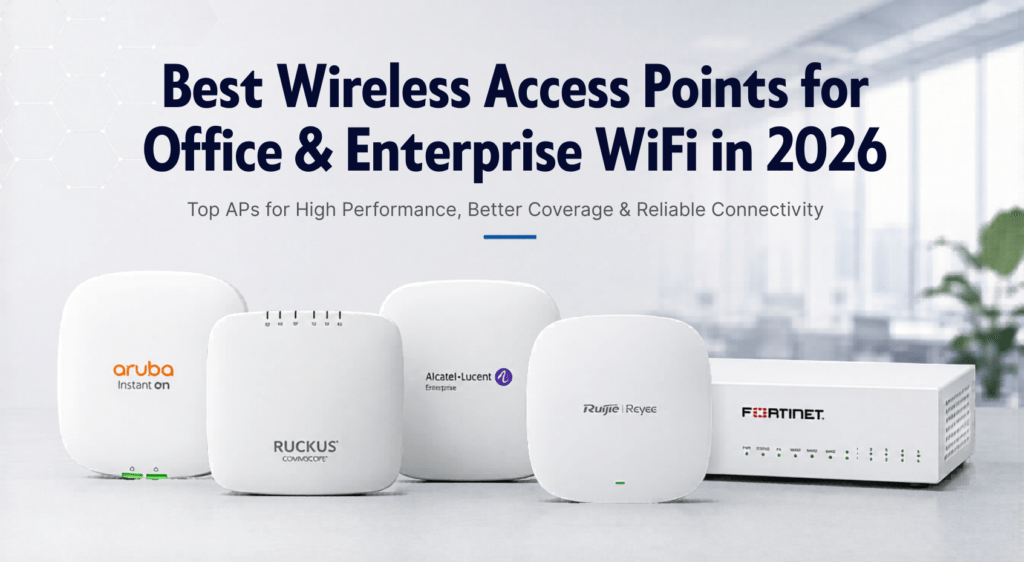
Best Wireless Access Points for Office & Enterprise WiFi in 2026 Top APs for High Performance, Better Coverage & Reliable Connectivity A stable and high-speed WiFi network has become one of the most important parts of modern business infrastructure. Whether it’s a small office, retail outlet, hotel, educational institution, warehouse, or enterprise environment, businesses today rely heavily on wireless connectivity for daily operations, communication, cloud applications, surveillance systems, and connected devices. However, many businesses still struggle with poor WiFi coverage, slow internet speeds, dead zones, frequent disconnections, and network congestion. In most cases, the problem is not the internet connection itself but the wireless hardware being used. Consumer-grade WiFi routers are usually not designed to handle multiple users, larger coverage areas, or enterprise workloads. This is where enterprise wireless access points play an important role. Enterprise access points are built to provide stable connectivity, better user handling capacity, seamless roaming, improved security, and centralized network management for business environments. In this guide, we will look at some of the best wireless access points for office and enterprise WiFi deployments in 2026 and understand how businesses can choose the right wireless solution according to their requirements. Why Businesses Need Enterprise Wireless Access Points Many offices initially start with a basic WiFi router setup, but as the number of users and devices increases, network performance often starts degrading. Common problems businesses face include: Weak WiFi signals in different areas Slow internet during peak usage Connection drops during meetings or calls Poor roaming between floors or rooms Limited device handling capacity Network instability during heavy traffic Enterprise wireless access points are specifically designed to solve these issues. Unlike standard routers, enterprise APs provide: Better wireless coverage High-density user support Seamless roaming Centralized management Improved security features Better scalability PoE support for easier deployment Stable performance in business environments For offices, hotels, schools, retail stores, and enterprise networks, investing in a proper wireless infrastructure significantly improves productivity and user experience. What to Look for in a Business Wireless Access Point Choosing the right wireless access point depends on several factors. Every business environment has different networking requirements, user density, and coverage expectations. Here are some important factors to consider before selecting an enterprise access point. Coverage Area The size of the office or deployment area plays an important role in access point selection. Larger areas usually require multiple APs for proper signal coverage and seamless roaming. For example: Small offices may need 1–2 APs Multi-floor offices may require centralized deployments Hotels and campuses require scalable WiFi infrastructure Number of Connected Users Enterprise access points are designed to handle multiple simultaneous users more efficiently than consumer routers. A business with 10 users has very different requirements compared to: coworking spaces hotels schools conference halls warehouses High-density environments require enterprise-grade APs with better throughput and client management capabilities. WiFi 6 Support WiFi 6 access points are becoming the standard for modern enterprise networking. Benefits of WiFi 6 include: Faster wireless speeds Better performance in crowded environments Lower latency Improved device efficiency Better support for modern applications Businesses planning long-term deployments should consider WiFi 6-compatible access points. Centralized Management Managing multiple access points individually can become difficult as networks grow. Enterprise WiFi solutions often include centralized cloud or controller-based management, allowing IT teams to: monitor devices manage configurations control SSIDs update firmware troubleshoot networks from a single dashboard. PoE Support Many enterprise access points support Power over Ethernet (PoE), which allows both power and data transmission through a single Ethernet cable. This simplifies installation and reduces additional wiring requirements. For PoE deployments, businesses commonly use managed PoE switches for better network management. Best Aruba Access Points for Office WiFi Aruba access points are widely used in enterprise environments because of their reliability, performance, and centralized management capabilities. They are commonly deployed in: offices educational institutions hotels healthcare facilities enterprise campuses Aruba APs are known for strong wireless performance and seamless roaming capabilities. Aruba access points are especially popular among organizations that require stable enterprise WiFi with centralized management and future scalability. Best Ruckus Wireless Access Points for Enterprise Networks Ruckus is one of the most recognized brands in enterprise wireless networking. Ruckus access points are known for: excellent wireless coverage high-density performance BeamFlex technology stable enterprise connectivity They are commonly used in: hotels educational institutions large offices public WiFi environments warehouses Ruckus solutions are especially effective in environments where multiple users are connected simultaneously. Ruijie Access Points for Business Networks Ruijie and Reyee networking products have gained popularity in recent years due to their balance between performance and affordability. Ruijie access points are suitable for: offices retail stores SMB environments educational institutions hospitality deployments Businesses looking for enterprise features at competitive pricing often consider Ruijie networking solutions. Ruijie also offers: cloud management switches routers complete enterprise networking solutions which makes them suitable for growing business networks. Popular deployments include small-to-medium office WiFi infrastructure and multi-location networking environments. Cisco Wireless Networking Solutions Cisco has been a leading name in enterprise networking for many years. Businesses commonly use Cisco networking products for: enterprise switching wireless infrastructure security data center environments Cisco wireless access points are widely used in large enterprise deployments where scalability, security, and centralized management are important. Cisco wireless solutions integrate efficiently with Cisco switching infrastructure, making them suitable for organizations already using Cisco networking products. In addition to wireless networking, Cisco switches remain one of the most popular choices for enterprise LAN infrastructure. Importance of Proper Network Infrastructure Many businesses focus only on access points while ignoring the overall network infrastructure. However, enterprise WiFi performance also depends on: switches structured cabling firewall security router performance network design For example, using poor-quality Ethernet cables or unmanaged switches can limit network performance even when high-end access points are deployed. Businesses should also invest in proper structured cabling solutions for stable long-term performance. Commscope Cat6 cables and Molex structured cabling solutions are commonly used in enterprise networking deployments for reliable connectivity. Firewall Security for Enterprise Networks As businesses

Shopping Cart
Scroll to Top