IT Baba Online

Buy Networking Products at Best Prices   |  🚚 Fast Delivery Across India   |   💬 WhatsApp for Instant Quote Buy Networking Products at Best Prices
🚚 Fast Delivery Across India
💬 WhatsApp for Instant Quote
🎯 Save up to ₹1000* on your first order | Auto-applied at checkout

Uncategorized

Choose the Right Network Switch for Your Business

How to Choose the Right Network Switch for Your Business

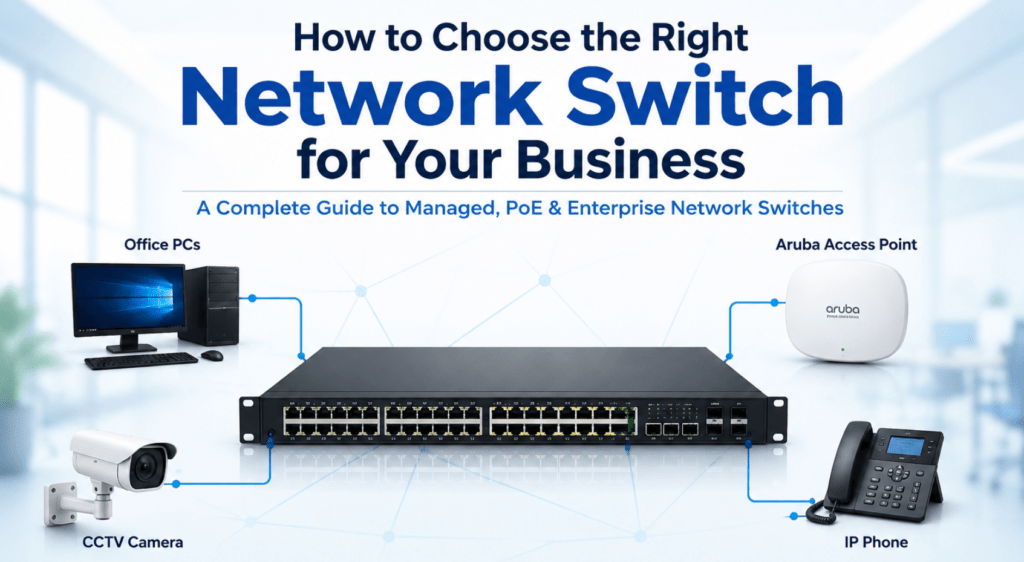
How to Choose the Right Network Switch for Your Business A Complete Guide to Managed, PoE & Enterprise Network Switches How to Choose the Right Network Switch for Your Business As businesses continue to rely on cloud applications, IP phones, wireless access points, CCTV systems, and connected devices, having the right network infrastructure has become more important than ever. One of the most critical components of any business network is the network switch. Choosing the wrong switch can lead to network bottlenecks, limited scalability, poor performance, and unnecessary costs. On the other hand, selecting the right network switch for business requirements can improve reliability, security, and overall network efficiency. This guide will help you understand what to look for when selecting a business network switch and how to determine which solution best fits your organization. What Does a Network Switch Do? A network switch acts as the central connection point for devices within a network. It enables communication between computers, servers, wireless access points, printers, IP phones, CCTV cameras, and other connected devices. Unlike older networking equipment such as hubs, modern switches intelligently direct network traffic only to the intended device, improving performance and reducing congestion. Whether you’re building a small office setup or a large enterprise environment, selecting the correct enterprise network switch is essential for long-term network stability. Understand Your Business Requirements First Before purchasing any switch, consider how your network is being used. Ask yourself: How many devices will connect to the network? Will you be installing wireless access points? Are IP phones being used? Will CCTV cameras be connected? Do you expect business growth over the next few years? Many businesses purchase switches based only on current requirements and quickly outgrow them. Choosing a scalable solution can help avoid costly upgrades later. Determine the Number of Ports You Need One of the first decisions when selecting a switch for office network deployments is determining the required port count. Common options include: 8-Port Switches Suitable for: Small offices Retail stores Small branch locations 24-Port Switches Suitable for: Growing businesses Medium-sized offices Educational institutions 48-Port Switches Suitable for: Enterprise environments Multi-floor offices High-density network deployments It’s generally advisable to leave room for future expansion instead of purchasing a switch with just enough ports for current devices. Managed vs Unmanaged Switches One of the most common decisions businesses face is choosing between a managed and unmanaged switch. Unmanaged Switches Unmanaged switches are plug-and-play devices requiring minimal configuration. Benefits: Lower cost Easy deployment Suitable for small networks However, they offer limited control and monitoring capabilities. Managed Switches A managed switch for business environments provides advanced features such as: VLAN configuration Network monitoring Traffic prioritization Security controls Remote management Businesses looking for long-term scalability should generally consider a managed network switch. Do You Need a PoE Switch? Many modern businesses deploy: Wireless access points IP phones CCTV cameras Access control systems These devices often require power as well as network connectivity. A PoE switch (Power over Ethernet switch) delivers both through a single Ethernet cable, reducing installation complexity and infrastructure costs. Businesses planning wireless or surveillance deployments should strongly consider PoE-enabled switches. Consider Network Speed Requirements The speed of your switch plays a significant role in network performance. Gigabit Switches Suitable for most business environments. Commonly used in: Offices Schools Retail locations SMB networks Multi-Gigabit Switches Recommended for: High-performance wireless networks Large file transfers Video-intensive applications 10 Gigabit Switches Ideal for: Data centers Enterprise environments Server infrastructure When choosing a business network switch, ensure it can support future bandwidth demands rather than only current requirements. Security Features Matter Cybersecurity concerns continue to grow, making switch security more important than ever. Advanced switches may offer: Port security Access control lists (ACLs) VLAN segmentation Authentication features Traffic monitoring These capabilities can help businesses better protect critical network resources. Scalability for Future Growth A network switch should support both current operations and future expansion. Consider factors such as: Additional users More wireless access points Expansion to new office locations Increased network traffic Investing in a scalable enterprise network switch often results in lower long-term costs. Cisco Switches for Business Networks When businesses require reliability, performance, and enterprise-grade features, Cisco switches are often among the top choices. Cisco switches are widely used across: Corporate offices Educational institutions Healthcare environments Government organizations Benefits include: Advanced security Proven reliability Strong technical ecosystem Long-term support Cisco solutions are particularly suitable for organizations planning long-term network growth. Ruijie Switches for Modern Businesses Businesses seeking cost-effective networking solutions increasingly consider Ruijie switches. Ruijie offers: Cloud management Enterprise-grade features Competitive pricing Simplified deployment These solutions are commonly deployed in: Offices Hotels Retail environments Educational campuses For many SMBs, Ruijie provides an excellent balance between functionality and affordability. Choosing the Right Switch Based on Business Size Small Businesses Recommended: 8 or 24-port switches Gigabit connectivity Basic PoE support Medium Businesses Recommended: Managed switches VLAN capabilities PoE support 24 or 48 ports Enterprise Organizations Recommended: Layered switching architecture Advanced security features Multi-gigabit uplinks Full network management Selecting the right network switch for business needs depends largely on company size, device density, and growth expectations. Common Mistakes Businesses Make Many organizations make the following mistakes when purchasing switches: Buying Based on Price Alone The cheapest switch may not support future requirements. Ignoring PoE Requirements Adding access points and IP phones later may require replacing existing hardware. Purchasing Too Few Ports Networks typically grow over time. Overlooking Management Features Many businesses eventually need monitoring and traffic management capabilities. Avoiding these mistakes can help maximize your networking investment. Final Thoughts Selecting the right network switch for business environments requires more than simply choosing a device with enough ports. Businesses should evaluate scalability, management capabilities, PoE requirements, security features, and future growth plans before making a decision. Whether you’re deploying a small office network or a large enterprise infrastructure, choosing the right business network switch can improve performance, simplify management, and support future expansion. Solutions from leading brands such as Cisco switches and Ruijie switches provide

What is a PoE Switch and Why Businesses Need It? | IT Baba Online

What is a PoE Switch and Why Businesses Need It?

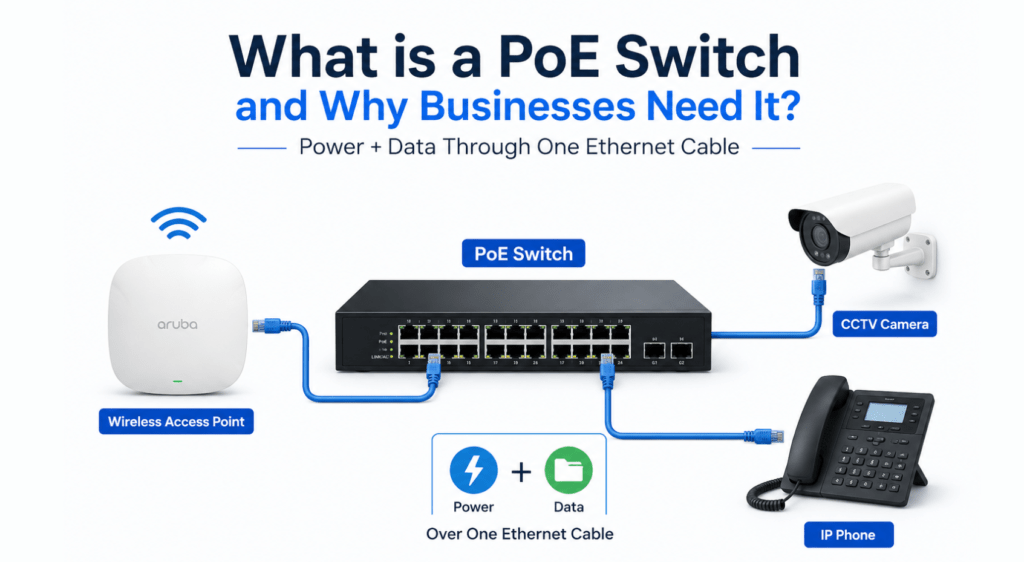
What is PoE Switch and Why Businesses Need It? What is a PoE Switch and Why Businesses Need It? As businesses continue adopting wireless networking, IP surveillance systems, and smart office technologies, network infrastructure has become more important than ever. Modern offices now rely on devices such as wireless access points, IP phones, CCTV cameras, and access control systems that require both power and network connectivity. Traditionally, every device required two separate connections — one for power and one for data. This increased installation costs and made network deployments more complicated. This is where a PoE switch becomes valuable. If you’ve ever wondered what is PoE switch technology and why businesses are increasingly using it, this guide will explain everything you need to know. What is a PoE Switch? A PoE switch (Power over Ethernet switch) is a network switch that can deliver both electrical power and network data through a single Ethernet cable. Instead of using separate power adapters and network cables, compatible devices receive everything they need through one connection. A power over ethernet switch can power devices such as: Wireless access points IP phones CCTV cameras Biometric systems Access control devices IoT devices This simplifies network deployment and reduces infrastructure complexity. How Does a PoE Switch Work? A network PoE switch sends power and data through standard Ethernet cables such as Cat6 and Cat6A. When a compatible device is connected, the switch automatically detects it and supplies the required power safely. This means businesses can install devices in locations where power outlets may not be available while still maintaining network connectivity. For example, ceiling-mounted wireless access points can be installed exactly where they provide the best WiFi coverage without needing a nearby electrical socket. Why Businesses Use PoE Switches Businesses are increasingly deploying PoE switches for business networks because they simplify infrastructure and reduce installation costs. Instead of running: Power cables Electrical outlets Ethernet cables a single cable can handle both power and data. This results in: Faster installations Cleaner cable management Lower infrastructure costs Easier network expansion Modern enterprise networking solutions often rely heavily on PoE technology. Benefits of a PoE Switch for Business Networks Simplified Installation One of the biggest advantages of a PoE switch for office environments is simplified deployment. Because power and data travel through one cable: Fewer cables are required Installation becomes easier Maintenance is simplified This is especially beneficial for businesses deploying multiple networking devices. Better Support for Wireless Access Points Many businesses use PoE switches for access points because wireless access points are typically installed on ceilings or high walls. Without PoE, every access point would require a nearby electrical outlet. Using a PoE switch allows businesses to install access points in optimal locations, improving wireless coverage and supporting better enterprise WiFi solutions. Reduced Infrastructure Costs Installing separate electrical wiring for every network device can become expensive. A power over ethernet switch reduces: Electrical installation costs Cable clutter Hardware requirements This can significantly lower overall deployment expenses. Centralized Management A managed PoE switch provides advanced network management capabilities. IT teams can: Monitor connected devices Manage network traffic Configure VLANs Restart devices remotely Troubleshoot issues efficiently This makes managed switches ideal for growing businesses. What Deovices Commonly Use PoE? A PoE switch is commonly used to power: Wireless Access Points Enterprise wireless networks frequently rely on PoE-powered access points from brands such as: Aruba Ruckus Ruijie These devices are often installed in ceilings for optimal WiFi coverage. IP Phones Modern VoIP communication systems commonly use PoE to simplify deployment and improve reliability. CCTV Cameras Many surveillance systems depend on PoE switches because they eliminate the need for separate power supplies at camera locations. This is one of the most common applications for CCTV networking deployments. Access Control Systems Businesses often use PoE-enabled access control devices including: Door controllers Card readers Security systems These devices benefit from centralized power management. Managed PoE Switch vs Unmanaged PoE Switch When selecting a switch, businesses often compare managed and unmanaged models. Managed PoE Switch Provides: VLAN support Security policies Traffic monitoring Network optimization Remote management Recommended for: Growing businesses Enterprise environments Multi-user networks Unmanaged PoE Switch Provides: Plug-and-play deployment Basic connectivity Minimal configuration Suitable for: Small deployments Simple office environments For most businesses, a managed PoE switch offers greater flexibility and long-term value. Cisco PoE Switches for Business Networks Cisco PoE switches are among the most popular solutions for business networking environments. Businesses choose Cisco because of: Enterprise reliability Advanced security Long-term support Scalability Cisco switches are widely used to power: Wireless access points IP phones CCTV systems Enterprise network devices Ruijie PoE Switches for Modern Offices Ruijie PoE switches have become increasingly popular for businesses looking for cost-effective networking solutions. Benefits include: Cloud management Enterprise-grade features Competitive pricing Easy deployment Ruijie switches are commonly used in: Office WiFi setups Educational institutions Retail environments Hospitality networks The Importance of Structured Cabling Even the best enterprise network switch depends on quality cabling. Businesses should use reliable structured cabling products such as: Commscope Cat6 cables Molex Cat6 cables to ensure stable power and data transmission. Poor cabling can negatively impact: Network performance PoE power delivery Device reliability PoE and Enterprise WiFi Solutions Modern enterprise WiFi solutions depend heavily on PoE infrastructure. Access points from brands such as: Aruba Ruckus Ruijie are commonly powered through PoE switches. Using a PoE switch for access points simplifies deployment and allows businesses to expand wireless coverage efficiently. Which Businesses Should Use PoE Switches? A PoE switch for business is ideal for: Offices Schools Hospitals Warehouses Retail stores Hotels Enterprise campuses Any organization deploying access points, CCTV systems, or IP phones can benefit from PoE technology. Final Thoughts Understanding what is PoE switch technology is important for businesses planning modern network infrastructure. A power over ethernet switch simplifies deployment by delivering both power and data through a single Ethernet cable. This reduces installation costs, improves flexibility, and supports future network expansion. Whether you’re deploying wireless access points, IP phones, CCTV systems,

Managed vs Unmanaged Switches – Which is Better for Business Networks?

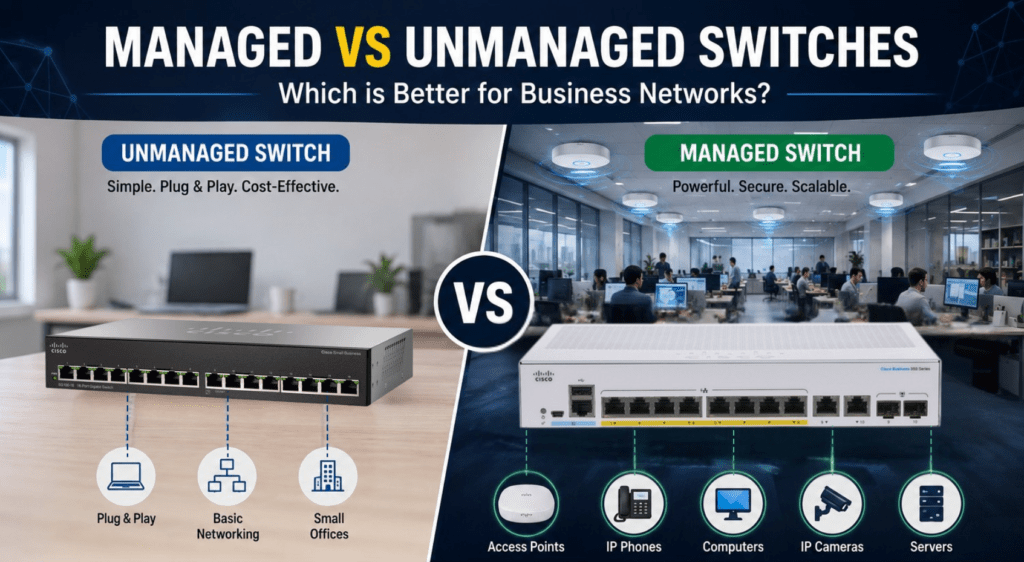
Managed vs Unmanaged Switches Which is Better for Business Networks? Managed vs Unmanaged Switches: Which is Better for Business Networks? Choosing the right network switch is an important part of building a stable and scalable business network. Whether you are setting up a small office, retail store, educational institution, hotel, or enterprise environment, selecting the right switching infrastructure directly affects network performance, security, and long-term scalability. One of the most common questions businesses face while planning their networking infrastructure is the difference between a managed vs unmanaged switch setup. At first glance, both switches may look similar because they connect devices within a network. However, their capabilities, management features, security options, and scalability are completely different. Understanding the difference between a managed network switch and an unmanaged network switch helps businesses choose the right solution according to their office size, user requirements, and future expansion plans. In this guide, we’ll explain the differences between managed and unmanaged switches, their advantages, business use cases, and which option is better for modern enterprise networking environments. What is a Network Switch? A network switch is a device that connects multiple devices within a local network and allows them to communicate efficiently. Businesses use switches to connect: computers wireless access points IP phones printers servers CCTV systems firewalls A proper business network switch helps improve communication and traffic management within office and enterprise environments. Switches play a major role in: enterprise LAN infrastructure office networking wireless deployments surveillance systems structured cabling networks What is an Unmanaged Network Switch? An unmanaged network switch is a basic plug-and-play networking device that works automatically without requiring manual configuration. Businesses simply connect the devices, and the switch starts forwarding traffic immediately. Unmanaged switches are commonly used in: small offices home setups temporary networks low-complexity environments These switches are affordable and simple to deploy, making them suitable for environments where advanced network management is not required. However, unmanaged switches provide very limited control over network traffic and security. What is a Managed Network Switch? A managed network switch gives businesses full control over their network infrastructure. Unlike unmanaged switches, managed switches allow administrators to: monitor traffic configure VLANs prioritize applications manage ports improve security troubleshoot network issues A managed switch for business environments is ideal for organizations that require better performance, scalability, and network management capabilities. Managed switches are commonly used in: offices hotels enterprise environments schools warehouses hospitals data centers Businesses building scalable enterprise networking solutions usually deploy managed switches for better control and long-term flexibility. Managed vs Unmanaged Switch: Main Differences Understanding the differences between a managed vs unmanaged switch setup is important before investing in networking infrastructure. 1. Configuration and Control An unmanaged switch works automatically with no manual setup required. A managed network switch, however, provides advanced management features such as: VLAN configuration traffic prioritization monitoring tools remote management bandwidth control Businesses that require more control over their network usually prefer managed switches. 2. Network Security Security is one of the biggest advantages of managed switches. A managed switch for business environments helps administrators control access and isolate network traffic using VLANs and other security features. This is especially useful in: enterprise offices hotels educational institutions healthcare environments Unmanaged switches do not offer these advanced security capabilities. 3. Scalability Businesses planning future expansion should strongly consider managed switches. A proper enterprise network switch infrastructure allows businesses to: add more devices expand wireless deployments manage larger traffic loads improve network segmentation Unmanaged switches are usually suitable only for smaller environments with limited growth requirements. 4. Performance Optimization Managed switches allow businesses to prioritize important applications such as: VoIP calls video conferencing cloud applications enterprise software This improves overall network stability and user experience. Businesses deploying enterprise wireless networks often combine managed switches with wireless access points for better traffic handling. 5. Remote Monitoring and Troubleshooting One major benefit of managed switches is remote network monitoring. IT teams can: monitor traffic detect issues troubleshoot problems manage devices remotely This becomes extremely useful for organizations managing multiple office locations or enterprise environments. What is a PoE Switch? A PoE switch for office environments allows both power and data to be transmitted through a single Ethernet cable. PoE switches are commonly used for: wireless access points IP phones CCTV cameras biometric devices Businesses deploying enterprise WiFi solutions often use a managed PoE switch for powering multiple access points efficiently. PoE infrastructure simplifies installation and reduces additional electrical wiring requirements. Cisco Managed Switches for Enterprise Networks Cisco managed switches are among the most widely used enterprise switching solutions in business environments. Cisco switches are known for: reliability scalability enterprise security advanced management features Businesses commonly deploy Cisco switches in: offices enterprise LAN infrastructure educational institutions hospitality environments data centers Cisco offers both: Layer 2 switch Layer 3 switch solutions for different business networking requirements. Ruijie Switches for Business Networks In addition to Cisco, many businesses also deploy Ruijie switches for office and enterprise networking environments. Ruijie networking solutions are popular because they provide: cloud management enterprise features competitive pricing scalable deployments Ruijie switches are commonly used in: SMB offices retail stores schools hospitality environments Businesses looking for affordable enterprise networking infrastructure often consider Ruijie switching solutions. Layer 2 Switch vs Layer 3 Switch When selecting a business network switch, businesses also come across the comparison between: Layer 2 switch Layer 3 switch A Layer 2 switch primarily handles data forwarding within the local network. A Layer 3 switch includes routing capabilities and is commonly used in larger enterprise environments where advanced traffic management is required. For most small and medium office environments, Layer 2 managed switches are usually sufficient. Large enterprise environments may require Layer 3 switching infrastructure for advanced network segmentation and routing. Which Switch is Better for Business Networks? The choice between a managed vs unmanaged switch depends on business requirements, user count, security expectations, and future scalability. Unmanaged Switches are Suitable for: very small offices basic networking temporary setups low-budget deployments Managed Switches are Better for:

access point vs router

Access Point vs Router – Which is Better for Business Networks?

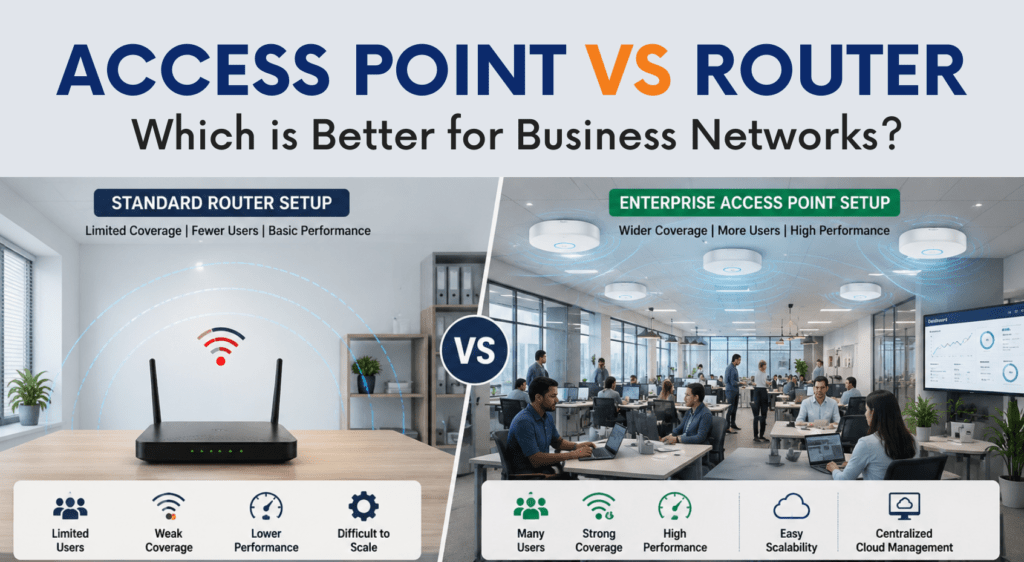
Access Point vs Router Which is Better for Business Networks? Access Point vs Router: Which is Better for Business Networks? When setting up a wireless network for office environments, one of the most common questions businesses ask is whether they should use a router or a wireless access point. The discussion around access point vs router becomes even more important for offices, hotels, schools, retail stores, and enterprise environments where stable connectivity and scalability matter. At first glance, both devices may seem similar because they provide WiFi connectivity. However, there are major differences between a router and an access point, especially when it comes to performance, coverage, user handling, and long-term business scalability. Understanding the difference between router and access point devices can help businesses choose the right networking infrastructure according to their requirements. In this guide, we’ll compare wireless access point vs router setups, explain which is better for business use, and understand why enterprise environments often prefer dedicated wireless access points over traditional routers. What is a Router? A router is a networking device that connects your local network to the internet. It manages internet traffic and allows multiple wired and wireless devices to connect to the same network. Most home and small office routers combine several functions together, including: WiFi broadcasting internet routing LAN switching firewall functionality DHCP services For small environments with limited users, routers can handle basic networking requirements effectively. However, as businesses grow and more devices connect to the network, standard routers often struggle to maintain stable performance. This is where businesses start comparing router vs access point for office environments more seriously. What is a Wireless Access Point? A wireless access point is a networking device designed specifically to provide wireless connectivity within an existing wired network. Unlike routers, access points do not directly handle internet routing. Instead, they connect to a switch or network infrastructure and provide WiFi access across the business environment. A business wireless access point is built to handle: larger coverage areas multiple simultaneous users seamless roaming centralized management enterprise-grade wireless performance Enterprise access points are commonly used in: offices hotels educational institutions warehouses hospitals retail stores enterprise campuses Businesses looking for scalable enterprise WiFi solutions usually deploy dedicated access points instead of relying only on routers. Wireless Access Point vs Router: Main Differences The comparison between wireless access point vs router setups becomes important when businesses start scaling their wireless infrastructure. Although both devices provide WiFi connectivity, they are designed for very different purposes. 1. Coverage and Scalability A standard router works well in small spaces with limited users. However, routers often struggle in larger offices where multiple rooms, floors, or departments require stable WiFi coverage. An enterprise access point setup allows businesses to deploy multiple APs across the office for seamless wireless coverage. For example: Small office → router may be enough Medium office → multiple APs recommended Large office or hotel → enterprise AP deployment necessary This is one of the biggest reasons why businesses prefer access points over routers for professional deployments. A proper wireless network for office environments should always focus on scalability and future expansion. 2. Better User Handling Consumer-grade routers are not designed for high-density business environments. When multiple employees connect simultaneously for: video conferencing cloud applications VoIP calls file sharing performance often drops significantly. A wifi access point for business environments is specifically designed to handle multiple simultaneous users without major performance issues. Enterprise wireless access points provide: better traffic handling improved stability stronger wireless coverage lower latency This is especially important for businesses running cloud-based operations and modern collaboration tools. 3. Centralized Management One major advantage of enterprise wireless networking is centralized management. Modern enterprise access points allow businesses to manage: SSIDs user access firmware updates guest networks traffic monitoring from a single dashboard. This becomes extremely useful in environments where multiple APs are deployed. Businesses investing in enterprise WiFi solutions often prefer centralized cloud-managed wireless infrastructure for easier administration. 4. Seamless Roaming When comparing access point vs router setups, roaming capability is another major difference. Routers generally create isolated WiFi environments. As users move across different areas, connectivity may become unstable or require manual reconnection. Enterprise access points support seamless roaming, allowing users to move between: rooms office floors departments buildings without losing connectivity. This is extremely important in: offices hotels educational institutions warehouses where uninterrupted connectivity matters. 5. PoE Support and Easy Deployment Most enterprise wireless access points support Power over Ethernet (PoE). This allows businesses to power access points using a single Ethernet cable for both data and electricity. Businesses commonly use PoE switches for access points to simplify deployments and reduce additional wiring requirements. PoE infrastructure is now standard in most modern enterprise wireless deployments. When Should Businesses Use a Router? A router can still work well in: very small offices small retail shops temporary setups limited-user environments If the business has: fewer users smaller coverage requirements basic internet usage then a standard business router may be sufficient. However, businesses planning long-term scalability usually benefit more from dedicated access point deployments. When Should Businesses Use Wireless Access Points? A business wireless access point is the better choice when businesses require: stable office WiFi multiple AP deployments centralized management larger coverage areas seamless roaming enterprise scalability Businesses planning a modern office WiFi setup should strongly consider enterprise access points instead of relying only on standard routers. Aruba Access Points for Business WiFi Aruba access points are widely used for enterprise wireless deployments because of their stable performance and centralized management capabilities. Aruba solutions are commonly deployed in: offices schools hotels healthcare facilities enterprise campuses Businesses looking for reliable enterprise WiFi solutions often choose Aruba for: wireless stability secure connectivity cloud management scalable wireless deployments Popular Aruba models are suitable for both SMB and enterprise deployments. Ruckus Wireless Access Points for Enterprise Environments Ruckus wireless access points are known for excellent wireless coverage and high-density performance. Ruckus APs are commonly used in: hospitality environments schools large offices

best wireless access points 2026

Best Wireless Access Points for Office & Enterprise WiFi in 2026

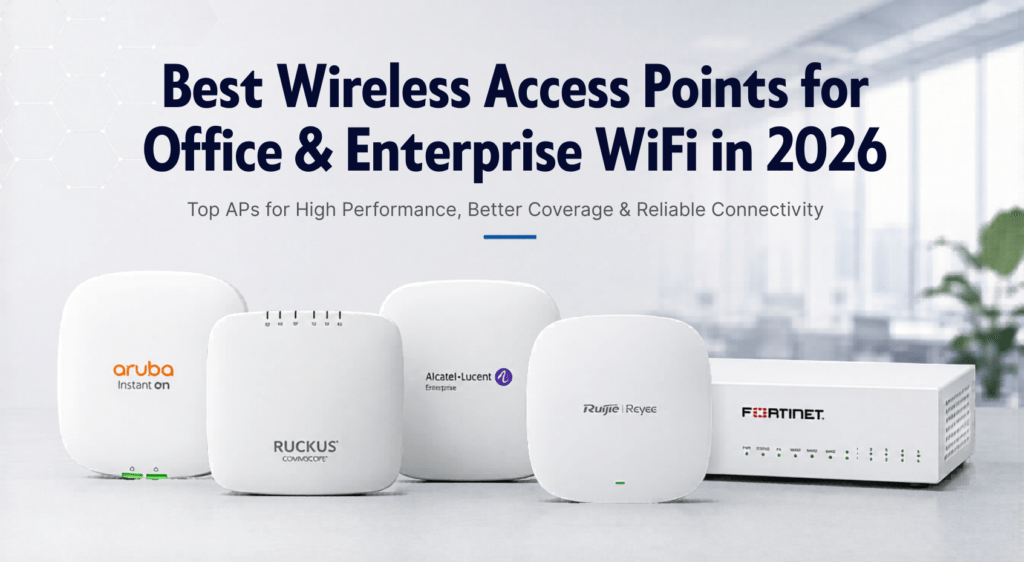
Best Wireless Access Points for Office & Enterprise WiFi in 2026 Top APs for High Performance, Better Coverage & Reliable Connectivity A stable and high-speed WiFi network has become one of the most important parts of modern business infrastructure. Whether it’s a small office, retail outlet, hotel, educational institution, warehouse, or enterprise environment, businesses today rely heavily on wireless connectivity for daily operations, communication, cloud applications, surveillance systems, and connected devices. However, many businesses still struggle with poor WiFi coverage, slow internet speeds, dead zones, frequent disconnections, and network congestion. In most cases, the problem is not the internet connection itself but the wireless hardware being used. Consumer-grade WiFi routers are usually not designed to handle multiple users, larger coverage areas, or enterprise workloads. This is where enterprise wireless access points play an important role. Enterprise access points are built to provide stable connectivity, better user handling capacity, seamless roaming, improved security, and centralized network management for business environments. In this guide, we will look at some of the best wireless access points for office and enterprise WiFi deployments in 2026 and understand how businesses can choose the right wireless solution according to their requirements. Why Businesses Need Enterprise Wireless Access Points Many offices initially start with a basic WiFi router setup, but as the number of users and devices increases, network performance often starts degrading. Common problems businesses face include: Weak WiFi signals in different areas Slow internet during peak usage Connection drops during meetings or calls Poor roaming between floors or rooms Limited device handling capacity Network instability during heavy traffic Enterprise wireless access points are specifically designed to solve these issues. Unlike standard routers, enterprise APs provide: Better wireless coverage High-density user support Seamless roaming Centralized management Improved security features Better scalability PoE support for easier deployment Stable performance in business environments For offices, hotels, schools, retail stores, and enterprise networks, investing in a proper wireless infrastructure significantly improves productivity and user experience. What to Look for in a Business Wireless Access Point Choosing the right wireless access point depends on several factors. Every business environment has different networking requirements, user density, and coverage expectations. Here are some important factors to consider before selecting an enterprise access point. Coverage Area The size of the office or deployment area plays an important role in access point selection. Larger areas usually require multiple APs for proper signal coverage and seamless roaming. For example: Small offices may need 1–2 APs Multi-floor offices may require centralized deployments Hotels and campuses require scalable WiFi infrastructure Number of Connected Users Enterprise access points are designed to handle multiple simultaneous users more efficiently than consumer routers. A business with 10 users has very different requirements compared to: coworking spaces hotels schools conference halls warehouses High-density environments require enterprise-grade APs with better throughput and client management capabilities. WiFi 6 Support WiFi 6 access points are becoming the standard for modern enterprise networking. Benefits of WiFi 6 include: Faster wireless speeds Better performance in crowded environments Lower latency Improved device efficiency Better support for modern applications Businesses planning long-term deployments should consider WiFi 6-compatible access points. Centralized Management Managing multiple access points individually can become difficult as networks grow. Enterprise WiFi solutions often include centralized cloud or controller-based management, allowing IT teams to: monitor devices manage configurations control SSIDs update firmware troubleshoot networks from a single dashboard. PoE Support Many enterprise access points support Power over Ethernet (PoE), which allows both power and data transmission through a single Ethernet cable. This simplifies installation and reduces additional wiring requirements. For PoE deployments, businesses commonly use managed PoE switches for better network management. Best Aruba Access Points for Office WiFi Aruba access points are widely used in enterprise environments because of their reliability, performance, and centralized management capabilities. They are commonly deployed in: offices educational institutions hotels healthcare facilities enterprise campuses Aruba APs are known for strong wireless performance and seamless roaming capabilities. Aruba access points are especially popular among organizations that require stable enterprise WiFi with centralized management and future scalability. Best Ruckus Wireless Access Points for Enterprise Networks Ruckus is one of the most recognized brands in enterprise wireless networking. Ruckus access points are known for: excellent wireless coverage high-density performance BeamFlex technology stable enterprise connectivity They are commonly used in: hotels educational institutions large offices public WiFi environments warehouses Ruckus solutions are especially effective in environments where multiple users are connected simultaneously. Ruijie Access Points for Business Networks Ruijie and Reyee networking products have gained popularity in recent years due to their balance between performance and affordability. Ruijie access points are suitable for: offices retail stores SMB environments educational institutions hospitality deployments Businesses looking for enterprise features at competitive pricing often consider Ruijie networking solutions. Ruijie also offers: cloud management switches routers complete enterprise networking solutions which makes them suitable for growing business networks. Popular deployments include small-to-medium office WiFi infrastructure and multi-location networking environments. Cisco Wireless Networking Solutions Cisco has been a leading name in enterprise networking for many years. Businesses commonly use Cisco networking products for: enterprise switching wireless infrastructure security data center environments Cisco wireless access points are widely used in large enterprise deployments where scalability, security, and centralized management are important. Cisco wireless solutions integrate efficiently with Cisco switching infrastructure, making them suitable for organizations already using Cisco networking products. In addition to wireless networking, Cisco switches remain one of the most popular choices for enterprise LAN infrastructure. Importance of Proper Network Infrastructure Many businesses focus only on access points while ignoring the overall network infrastructure. However, enterprise WiFi performance also depends on: switches structured cabling firewall security router performance network design For example, using poor-quality Ethernet cables or unmanaged switches can limit network performance even when high-end access points are deployed. Businesses should also invest in proper structured cabling solutions for stable long-term performance. Commscope Cat6 cables and Molex structured cabling solutions are commonly used in enterprise networking deployments for reliable connectivity. Firewall Security for Enterprise Networks As businesses

Shopping Cart
Scroll to Top