
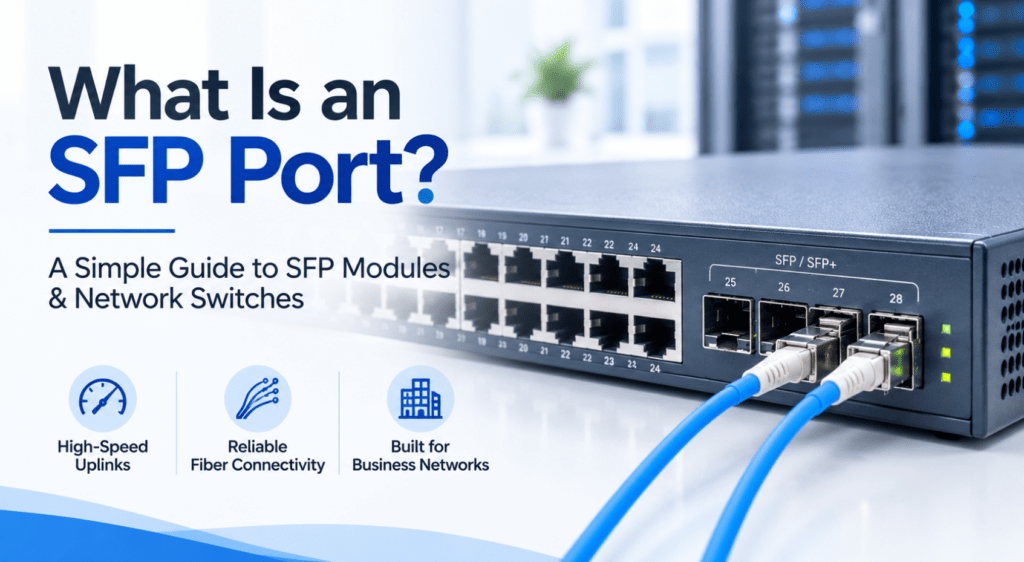
What Is an SFP Port? A Simple Guide to SFP Modules & Network Switches
What Is an SFP Port? A Simple Guide to SFP Modules & Network Switches If you’ve looked at the specifications of a business network switch, you may have noticed terms like SFP port, SFP+, SFP module, or fiber uplink. These terms can be confusing if you’re not familiar with networking hardware. An SFP port gives a network device more flexibility when it comes to connecting switches, servers, access points, and other networking equipment. Instead of using a regular Ethernet cable directly in the port, you can install an appropriate SFP module and connect the device using copper or fiber, depending on the module. So, what is an SFP port, and why do so many business and enterprise switches have them? Let’s break it down. What Is an SFP Port? SFP stands for Small Form-factor Pluggable. An SFP port is a slot on a network device, usually a switch or router, where you can install an SFP module. The module provides the actual connection type required for the network. For example, an SFP module can allow a switch to connect over: Fiber optic cable Copper Ethernet cable Different fiber types and distances This makes SFP ports particularly useful when a business needs to connect network equipment over longer distances or use fiber instead of standard copper Ethernet. You may also see SFP ports referred to as SFP slots or SFP uplink ports. How Does an SFP Port Work? An SFP port itself doesn’t usually connect directly to the cable. Instead, you insert an SFP module into the port. The basic setup looks like this: Network Switch → SFP Module → Fiber/Copper Cable → Another Network Device For example, imagine a business has two switches located on different floors of a building. Instead of running a standard copper Ethernet connection between them, the business could use compatible SFP modules and fiber cable for the connection. This is commonly referred to as a fiber uplink. The module can also be replaced if the networking requirement changes, which is one of the main advantages of the SFP design. What Is an SFP Module? An SFP module is a small, removable transceiver that fits into an SFP port. It converts the electrical signals from the networking equipment into the type of signal required for the connection, and vice versa. Different SFP modules are designed for different applications. For example, you can find modules designed for: Multimode fiber Single-mode fiber Short-distance connections Long-distance connections Copper Ethernet connections When choosing an SFP module, you need to make sure it is compatible with both the networking equipment and the cable being used. SFP vs RJ45: What’s the Difference? One of the most common questions when choosing networking equipment is SFP vs RJ45. The main difference is how the connection is made. Feature SFP RJ45 Connection Uses an SFP module Direct Ethernet cable Cable Fiber or copper, depending on module Copper Ethernet Distance Can support longer distances Generally suited to shorter runs Flexibility High Simple and straightforward Common Use Uplinks and switch-to-switch connections Computers, printers, access points RJ45 ports are very common for connecting regular network devices such as computers, printers, IP phones, and access points. SFP ports are particularly useful for switch-to-switch connections, server connections, and fiber uplinks. Neither is automatically better. The right option depends on the network design and distance involved. What Is an SFP+ Port? You may also come across SFP+ ports when looking at enterprise network switches. SFP+ is an enhanced version of the SFP interface and is commonly used for 10 Gigabit Ethernet connections. This makes SFP+ useful when a network needs higher-speed uplinks between: Network switches Servers Storage systems Core and distribution switches For example, a business may use standard Gigabit Ethernet connections for individual users while using an SFP+ uplink between switches to handle the larger amount of traffic moving through the network. What Is a Gigabit SFP? A Gigabit SFP is an SFP module designed to support Gigabit Ethernet, generally up to 1 Gbps. These modules are widely used in business networks for connecting switches and other networking equipment. The exact distance and type of connection depend on the particular module. For example, different Gigabit SFP modules may be designed for: Multimode fiber Single-mode fiber Copper connections This is why it’s important to check the specifications before purchasing an SFP module. Why Do Network Switches Have SFP Ports? SFP ports give switches additional connectivity options. A typical business switch might have: 24 × RJ45 ports + 4 × SFP uplink ports The RJ45 ports can be used to connect computers, printers, access points, IP phones, and other devices. The SFP ports can then be used to connect the switch to another switch, server, or the wider network. This setup is especially useful in larger offices where network traffic needs to move between different floors, buildings, or parts of the network. When Should You Use an SFP Port? SFP ports are particularly useful in situations where standard copper Ethernet isn’t the best option. Connecting Different Floors Fiber can be used to connect switches located on different floors of an office building. Connecting Different Buildings If network equipment needs to be connected across buildings, fiber uplinks can provide a practical solution for longer distances. High-Speed Uplinks SFP+ can provide higher-speed connections between switches and servers. Network Expansion SFP ports make it easier to add additional switches to an existing network without relying entirely on copper connections. SFP vs SFP+: Which One Should You Choose? The choice depends mainly on the speed your network requires. SFP is commonly used for Gigabit connections. SFP+ is commonly used for 10 Gigabit connections. If you’re building a standard office network, Gigabit SFP may be enough. If you’re connecting high-traffic servers or building a larger enterprise network, SFP+ may be a better choice. It’s also important to check whether both devices support the same interface and speed before purchasing the modules. Are SFP Ports Only Used for Fiber? No. Although SFP ports are commonly associated with